> For the complete documentation index, see [llms.txt](https://docs.riff.ai/llms.txt). Markdown versions of documentation pages are available by appending `.md` to page URLs; this page is available as [Markdown](https://docs.riff.ai/reference/shared/version-history.md).
# Version History
Go back to an earlier version of your app's code.
Riff keeps a history of your app's code as you build. If a change doesn't work out, you can go back to an earlier version.
## Open the history
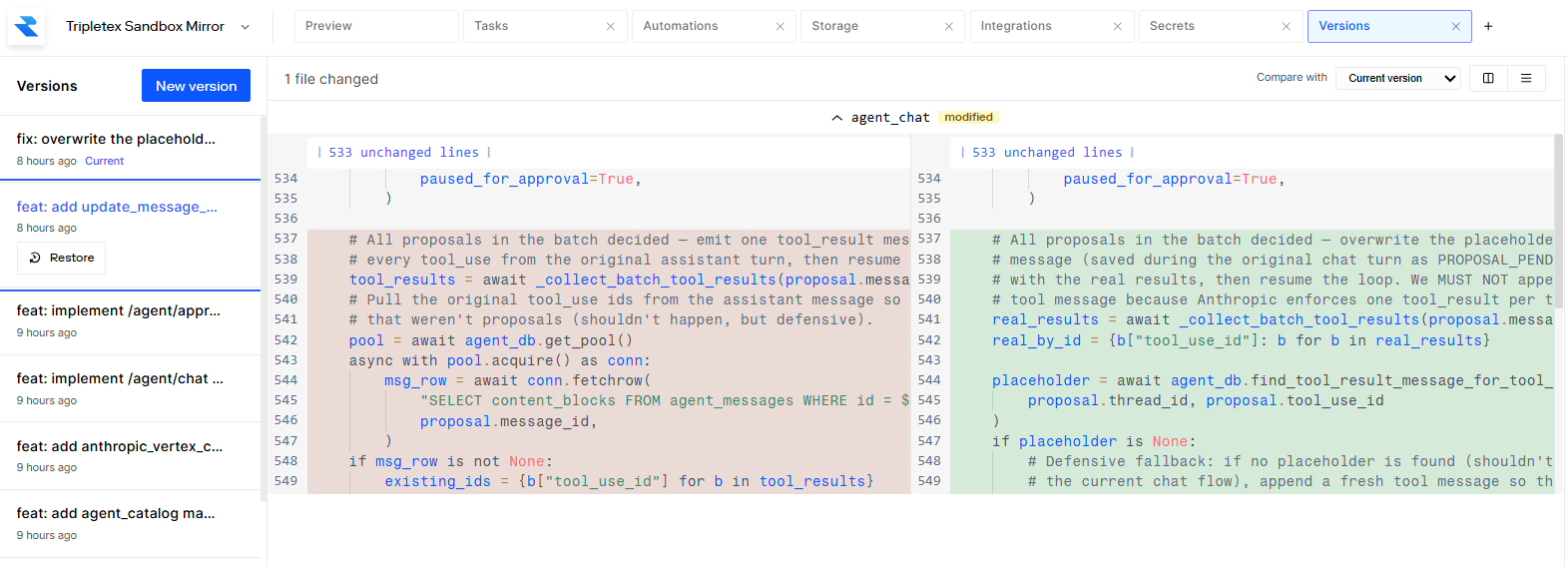
Open your app and click **History** in the top bar.
Versions are listed newest first. Each one shows its number (such as cm-5), a short description of the change, and when it was saved. **Current** marks the version you're building on now, and **Deployed** marks the one your users have.
The Riff agent saves versions as it works. To save one yourself, for example before a big change, click **New version**. Click the pencil next to a version to give it a name.
## See what changed
Click a version to see which files changed and how. Use **Compare with** to compare it with the previous version, the current one or the deployed one.
## Restore a version
1. Click the version you want to go back to.
2. Click **Restore**, then **Confirm**.
Your app's code goes back to that version and the preview reloads. Newer versions stay in the list, so you can restore one of them later. To keep a copy of where you are now, click **New version** before you restore.
Restoring puts back the code only. Your data, files, secrets, packages and automations stay as they are.
Restoring doesn't change the app your users see. To give them the restored version, deploy again. See [Deploy](/reference/app-builder/deploy.md).
---
# Agent Instructions
This documentation is published with GitBook. GitBook is the documentation platform designed so that both humans and AI agents can read, navigate, and reason over technical content effectively. Learn more at gitbook.com.
## Querying This Documentation
If you need additional information that is not directly available in this page, you can query the documentation by asking a question.
Perform an HTTP GET request on the following URL with the `ask` and `goal` query parameters:
```
GET https://docs.riff.ai/reference/shared/version-history.md?ask=&goal=
```
`ask` is the immediate question: it should be specific, self-contained, and written in natural language.
`goal` is what the user is ultimately trying to achieve, the reason they need the answer. Sharing it helps GitBook give you a better, more relevant answer. A goal is most helpful when it describes the outcome the user wants rather than restating the question. For example, with `ask=how do I create an API token`, a goal like `automate deployments from our CI pipeline` lets GitBook tailor the answer to that use case.
The response will contain a direct answer to the question and relevant excerpts and sources from the documentation.
Use this mechanism when the answer is not explicitly present in the current page, you need clarification or additional context, or you want to retrieve related documentation sections.